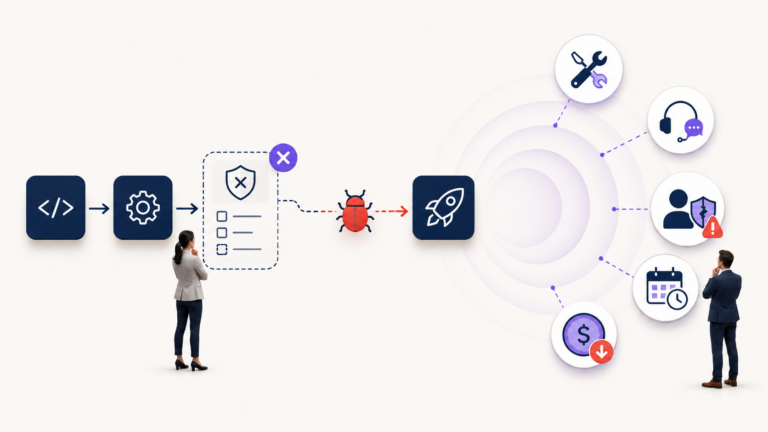


A developer fixes a pricing problem in an online store. The fix works and goes live. The next day, customers report that their discount codes no longer apply at checkout.
The fix solved one issue but introduced another. Regression testing is designed to catch these problems before release.
What Is Regression Testing?
Regression testing is a type of software testing that checks whether existing features still work after a change. That change could be a bug fix, a new feature, a code update, or a change in the system’s configuration.
The word regression means going backwards. In software, it means a working feature stops working after an update, even when that feature was not directly changed.
A Simple Regression Testing Example
An online store introduces a new coupon feature. The QA team checks whether it applies the promised discount. That is new-feature testing.
The coupon may share pricing rules with existing discounts, tax calculations, and checkout totals. Rerunning tests for those existing features is regression testing.
| Existing test | Expected result |
|---|---|
| Apply an existing discount | The correct discount appears in the total |
| Complete a card payment | The payment succeeds and the amount is correct |
| Place an order | The order is saved and confirmation is sent |
In business software, an updated approval rule could stop invoices moving to the next stage. Regression testing also checks connected workflows like these.
Why Is Regression Testing Important?
Software features are connected. Changes to calculations, permissions, or shared services can affect other functions, so regression testing checks whether important processes still work.
It helps catch unintended defects before release and helps developers understand what a change affected. It cannot guarantee bug-free software, but it provides evidence for release decisions.
When Should Regression Testing Be Done?
Regression testing is useful after bug fixes, new features, code changes, integration updates, and changes to the software environment. Teams also run it before major releases.
Testing scope should match risk. A small label change may need focused checks, while pricing or payment changes deserve broader coverage.
How Does Regression Testing Work?
Teams start by understanding the change and choosing tests that could reveal related problems. A typical regression testing process follows five steps.
- Review the change. Find out what was added, fixed, or updated. A change to pricing logic, for example, may affect more than the new coupon.
- Identify what could be affected. This is called impact analysis. The team looks at connected features, shared code, and workflows that might behave differently.
- Choose test cases and test data. A test case describes what to check and the expected result. Test data is the input used, such as a product price or discount code.
- Run the regression test suite. A test suite is a collection of test cases. Testers run the selected checks manually, through automation, or both in an appropriate test environment.
- Investigate failures. Compare actual results with expected results, record confirmed defects, and verify fixes. Then rerun the relevant regression checks to see whether the correction affected anything else.
The goal is to achieve meaningful test coverage without repeating every test after every update. Teams need to choose checks that match the risks introduced by the change.
Types of Regression Testing
Teams choose regression testing coverage based on how widely a change could affect the software. Two common approaches are selective and complete regression testing.
| Approach | What it means |
|---|---|
| Selective regression testing | Run tests for existing features likely to be affected |
| Complete regression testing | Run the full regression test suite for broader coverage |
Teams can also use risk-based prioritisation with either approach. This means checking high-impact features, such as payments or account access, first. Prioritisation helps decide the testing order rather than defining a separate level of coverage.
Manual vs Automated Regression Testing
In manual regression testing, a tester follows the steps and checks the result. It is useful when a workflow changes often or needs human judgement. Automated regression testing uses scripts to repeat known checks, which makes sense for stable features that must be tested frequently.
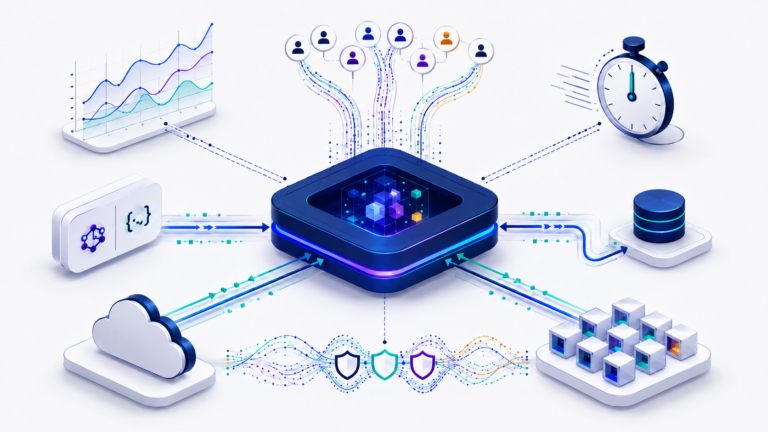
Teams can connect automated checks to a CI/CD pipeline, which automatically builds and tests software when developers submit changes. Quick checks may run frequently, with larger suites running before releases. Automation still needs maintenance because outdated scripts can report failures even when the application works.
For more on choosing the right approach, read our guide to Manual vs Automation Testing.
Regression Testing vs Retesting vs Smoke Testing
These methods answer different questions during a software release. Teams can use them together, but each serves a different purpose.
| Testing method | Main question |
|---|---|
| Regression testing | Did the change break something that worked before? |
| Retesting (confirmation testing) | Does the specific bug fix now work? |
| Smoke testing | Are the main functions working well enough for further testing? |
For the online store, retesting would confirm that the original pricing bug is fixed. Regression testing would check existing discounts and checkout, while a smoke test would quickly check whether the store’s core functions are available.
Regression Testing Best Practices
Start with features customers depend on, and keep test cases updated when requirements change. Automate stable, repetitive checks where it saves time, but keep human review for unusual behaviour and changing workflows.
A large test suite is not automatically a good one. Duplicate, outdated, or unreliable tests make failures harder to investigate. Review the suite regularly, and don’t assume every failed automated test means the application has a defect.
Well-written tests make those investigations easier. Our guide on How to Write Effective Test Cases explains how to document testing steps and expected results clearly.
Keeping Existing Features Working
Software updates should improve a product without undoing existing functionality. Regression testing helps teams check for unexpected problems before customers encounter them.
Nikqik’s QA services can help teams review testing coverage and identify where regression checks belong in their release process.